What is inside the current paid ZIP.
The paid ZIP is an instant browser download after Stripe checkout. It contains the full current CSV, buyer workbook, priority slices, and source-boundary files for manual review.
Buy $9.50 ZIP Compare free vs paid
Stripe checkout opens after your click. Use the CSV preview first if you need to confirm the row shape.
Paid rows
96 source-linked rows.
Free preview
25 rows for checking fields before purchase.
Current price
$9.50
No promo code is required.
Current issue facts
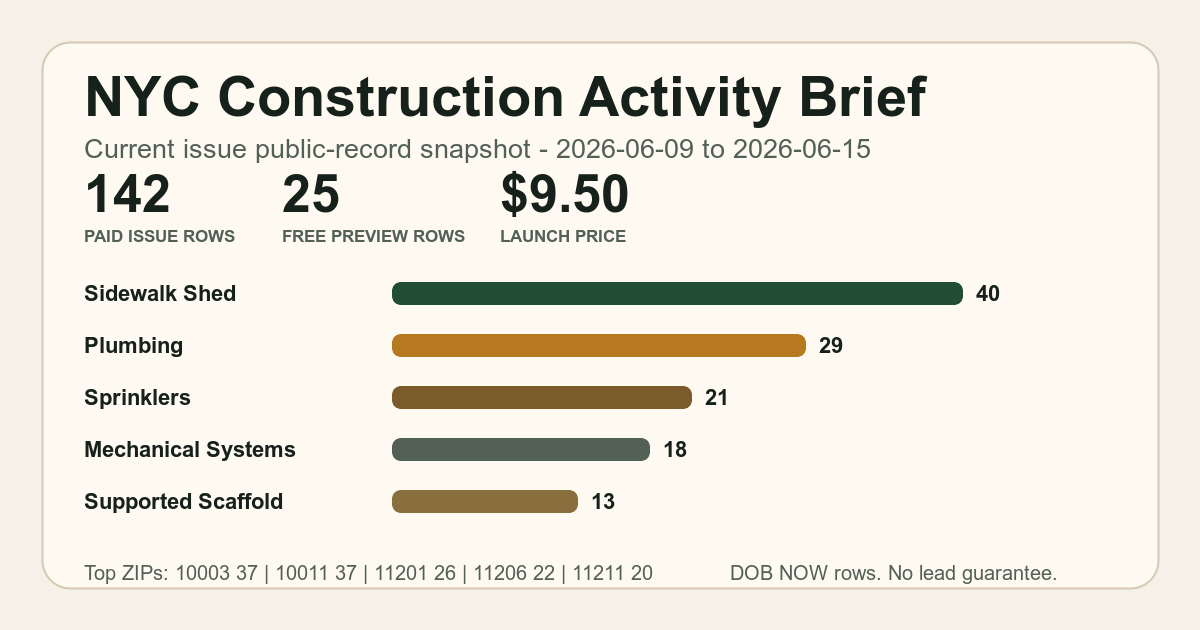
- Source: NYC DOB NOW: Build - Approved Permits.
- Source window: 2026-07-06 to 2026-07-09.
- Latest issued row in the file: 2026-07-08.
- Top work types: Sidewalk Shed 21 | Structural 20 | Plumbing 17 | Mechanical Systems 15 | Construction Fence 9 | Sprinklers 7 | Supported Scaffold 7.
- Top ZIPs: 11201 30 | 10011 24 | 10003 18 | 11211 13 | 11206 11.
File manifest
| File | Use |
|---|---|
README.md |
Start here for package scope, source window, file list, and claims boundary. |
nyc-construction-activity-preview.csv |
Full 96-row current issue CSV with source links, work type, ZIP, borough, issued date, status, cost bucket, permit ID, filing number, short description, and source caveat. |
nyc-construction-activity-preview.md |
Markdown view of the current issue for quick reading outside a spreadsheet. |
nyc-weekly-construction-activity-sample.md |
Public sample brief with the source and privacy boundary visible. |
buyer-workbook.md |
Step-by-step buyer review path for deciding which rows deserve manual source checks. |
buyer-priority-slices.csv |
Grouped slices by work type, borough, ZIP, row count, latest issued date, cost-bucket mix, status mix, and source URL. |
buyer-readme.md |
Short buyer notes for using the files without treating them as a contact list. |
source-registry.md |
Source dataset, source URL, fetch date, and source caveats. |
privacy-and-claims-boundary.md |
Excluded fields, privacy limits, agency boundary, and no-lead-guarantee language. |
qa-report.json |
Machine-readable QA checks for row count, source fields, package contents, and excluded private-contact fields. |
version.txt |
Package version and issue identifier. |
Fast review path
- Open
buyer-workbook.mdfor the suggested review order. - Use
buyer-priority-slices.csvto pick the work type, ZIP, or borough slice worth checking first. - Open the full CSV and filter by the slice you chose.
- Use source links to verify any row before outreach, quoting, routing, or planning.
Request a future sample cut
If this page is close but not the exact territory or work type you need, send one request. I will use these requests to choose future public previews.
Boundary
No guaranteed leads. No owner names, applicant names, phone numbers, email addresses, full street addresses, enriched contact data, agency endorsement, or legal advice are included. Source records can be incomplete, delayed, revised, duplicated, or mislabeled.